
One of the best ways of improving your ad conversion on Facebook is by targeting the right audience. When your ad is shown to the right people, they are more likely to take the desired action. The good news is that Facebook offers users numerous targeting options, enabling advertisers to reach a more relevant audience.
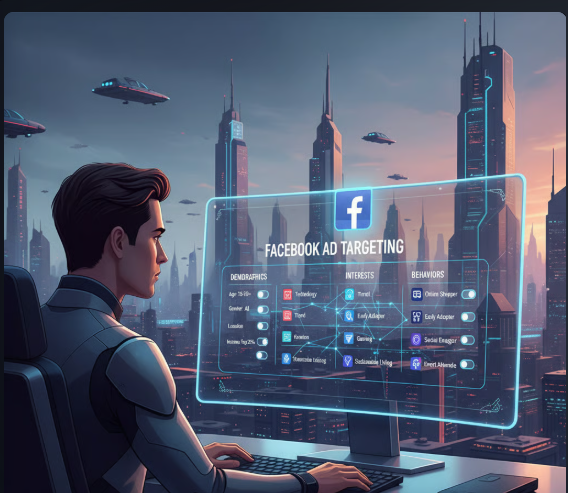
Through Facebook ad targeting, you can reach your target audience based on the audience’s behaviors, interests, and engagement. This guide covers using Facebook advertising to reach your target audience in 2025, including different ways of targeting ads on Meta.
What is Facebook Ad targeting?
Facebook ad targeting involves aligning your ads with the right audience that is more likely to show interest in your product. It enables advertisers to narrow their audiences based on demographics, such as age, location, interest behaviors, and custom audience segments, including previous website visitors.
Through such precision, you can minimize your advertising waste and have a more effective advertising campaign that targets the right people with your ads. You can save money through ad targeting, as reaching a larger audience is usually more expensive than reaching a smaller one.
Facebook ad targeting enables you to target individuals within a specific area, such as a one-mile radius around your location. When you do that, you can ensure that you are not losing money on people who aren’t interested in the product. With the ability to choose a target country for the campaign, you can test the ads in a less competitive market before launching them in your primary market. Therefore, this can be a good strategy for optimizing your ads when selling on the Facebook marketplace.
Why It’s Essential to Get Audience Insights For Facebook Ads
When you get informed audience insights into your Facebook ads, you can get various benefits such as:
A More Informed Advertising Strategy
When you properly understand the people engaging with your content, you can use the data to improve your strategy. Audience insights will provide valuable information about the kind of content your audience loves. You can also use the information to research your potential audience and better understand ways to connect with them.
More Optimized Ad Spend
If you don’t target your Facebook ads well, they can be expensive. The good news is that by using audience insights, you can laser-target your Facebook ads to reach the people who are more likely to respond well to them.
Prioritize Social Advertising Networks
On average, a social media user is typically connected to seven networks. This doesn’t mean you need to be on every social media platform. Instead, you need to understand where your audience is, how much time they spend there, and their expectations of each platform. You can use these data insights to track your ads across different platforms and adjust your budgets and campaigns accordingly, and maximize your ROI.
Optimize Your Organic Content
With Audience Insights, you can tailor your Facebook page content to ensure that your audience receives the right content, at the right time, and in the right voice. This can help you connect better with your current followers, especially when creating converting Facebook video ads.
Understanding the Different Facebook Ad Targeting Options
Let us look at the three major targeting options on Facebook:
Detailed Ad Targeting
One of the more specific options advertisers have on Facebook is detailed targeting. This targeting option can further be divided into:
Age/Gender Facebook Targeting
As the name suggests, this option allows you to target Facebook audiences based on their age and gender. Most of this information is based on the details users provide during the sign-up process. Although the data may not be 100% accurate, it can serve as a good starting point for your ad targeting.
For instance, if you are promoting night dresses, you can target women aged 18 to 40 who live in urban areas and have an interest in apparel-related clothing.
Demographic Ad Targeting
Age and gender can also be considered to be part of demographic targeting. However, you can also take this targeting further by targeting your ad based on demographics, interests, and behavior. You can then narrow your audience depending on various metrics such as parental status, work details, and educational level. While Facebook uses the data provided by users when they join, a significant portion of it is also a result of Facebook’s interpretation.
According to Facebook, the platform considers targeting options based on various factors, including the ad the user clicked on, the pages they are engaging with, and their overall activities across Meta. This information is in addition to what the user provides, such as their mobile device and connection speed.
Interest
Another targeting option, besides demographics, age, and gender, is interests. With the Facebook AI-powered ad tool, the platform determines users’ behavior and interests, just like the other demographic lists above, even though they have different options.
Interest typically focuses on the topic a user likes, depending on the content type they have previously engaged with, including pages, jokes, events, and more. When you visit the Meta Ads Manager and click on the dropdown menu, you will notice the various interest topics to target, along with their corresponding subcategories.
Behavior
With these targeting options, you can reach your potential customers based on their past buying behaviors, the type of device they use, and intent data signals. You have a wide range of targeting options, such as:
- Targeting new business users.
- Gaming activities.
- Travel behaviors.
- Instagram and Facebook shop payment type.
You can browse through the various options to see what works for your brand. You can also use the search button to find the behavior of your core target audience.
Look-alike Audience Targeting
Another popular Facebook ad targeting option is the lookalike audiences. In this targeting option, you begin by providing Facebook with your audience sources, and the platform will analyze these sources before creating a persona. After this, Facebook will gather a user audience with interests and behaviors similar to those of the persona you are targeting.
Effective look-alike targeting begins by selecting the right target audience. You can choose a look-alike audience from sources such as a website, app, customer list, catalogue, or offline activity. After that, you can select the source audience, such as a Facebook page, Instagram page, Events, or an on-page listing.
You can also add the country you are targeting. Finally, choose the percentage match you plan to use. For instance, when you target a 1% match, you will be targeting 1% of the audience in your chosen location that has the same characteristics as your source audience. The higher your chosen percentage, the bigger your audience size, as you will be targeting that percentage of the population in the location.
Remember that your source audience should match at least 100 users in the country, but the recommended audience size is 1000 to 5000 users. If the audience size is smaller, you can struggle to find a good pattern. If you achieve a considerable audience size, you are targeting everyone on Facebook.
Meta Advantage and Facebook Ad Targeting
Meta Advantage and Facebook refer to the use of AI and machine learning for targeted advertising. In this method, Facebook uses its ad technology to identify your target audience and deliver the results you need within any given ad set. To ensure the best targeting, consider your pixel data, past conversations, and the user’s previous interactions with ads. The data is obtained from your ads, as well as those of other Facebook advertisers.
There is an option to add your audience suggestion. By clicking on this option, you can customize your targeting based on the metrics discussed above. The only difference is that you will be providing suggestions instead of the actual targeting. Therefore, Facebook will initially target your audience’s suggestions but will continue to improve based on the patterns it observes.
To be fully in control of your targeting, you can consider Advantage + Audience. However, remember that Facebook’s automated ad targeting is quite effective and it is worth using.
Facebook Ad Targeting Strategies That Convert
To effectively target your audience, consider using these Facebook ad targeting options:
Target Your Competitor’s Customers
You can visit the Meta Business Suite and the Audience Tab to access vital information that provides insights into your Facebook competitors. This data can provide valuable insights into targeting your new customers and followers. Here are the steps you need to follow when determining your competitors on Facebook:
- Go to Meta Business Suites, then the Audience Insights dashboard.
- Tap the filter button located at the top right of your page and choose your desired targeting options, such as age, gender, interest, and location. This will enable you to build your Facebook audiences that are like your audience persona.
- It’s not yet time to click “Create audience.” You should instead scroll to the section labeled “Top Pages” to determine the pages where your target users are coming from. You can then copy and paste the list into a text file or spreadsheet. You should then revisit the Filter selection tool to clear your current filters.
- Under the Type, enter the name of your competitor’s Facebook page. Clear your current filters and instead type your competition’s page under the interest page.
You can now review the available demographic information to see if there are additional audience insights to help you with more targeted ad targeting. You can then use the new demographics to create new audiences, which you can test against your current audiences. To get your competitor’s audience, click Save.
There are other ways to target your audience to find the next best fit for your particular campaign goals and specific business. You can use this as a starting point for finding your relevant Facebook audience. The page running those ads matters too, and a profile with almost no followers looks brand new to anyone who clicks through. Some owners buy followers and likes from SocialWick for that reason, using this platform to put a number on the profile before the ads start, though it changes nothing about who the ads reach.
Retarget Using Custom Audiences
If you have previous customers who have shown interest in your products or services, retargeting them can help rekindle their interest. For instance, Facebook custom audiences allow you to retarget people who have recently viewed your site, those who have viewed your sales page, or those who have checked out a particular product. If there are people who have purchased the product recently, you can exclude them from the analysis.
However, please note that you will need to install the Facebook Pixel to use website visits for targeting Facebook custom audiences. After that, you can follow these steps to create your remarketing audiences:
- Use your Ads Manager to reach Audiences.
- Select the Create a custom audience option.
- Choose the website as the source.
- Select pixels.
- Select the visitor type you need to target under Events.
- After naming audiences, select the visitors you want to target.
Alternatively, you can create custom audiences, using the data you have synced from a CRM such as Hootsuite Social.
Find Your Perfect Look-Alike Audiences
You can use the lookalike audience feature to create a Facebook-targeted ads list of potential customers with characteristics similar to those of people who have already purchased from you. Before adding the customer value of your lookalike audience, you should create a customer value custom audience.
- Using your Ads Manager, go to Audiences.
- Under the Source, choose the Customer list.
- From the options provided, select a method for importing the customer list. You should then click Next before uploading the customer list on the following screen.
- Click on Upload and Create.
You can now create a lookalike audience based on the list, which you will use to target your potential customers with the highest value. To do that:
- On Ads Manager, choose Audiences.
- Tap on create a look-alike audience.
- Choose your target audience’s location.
- Choose the size of the audience. A smaller number will be more likely to match the characteristics of your source audience.
- Tap “create audience.”
Use Ad Relevance Diagnostics to Improve Targeting
Facebook can provide insights into your ad’s relevance for your target audience using three diagnostics for ad relevance:
- Ranking based on quality.
- Ranking on conversion rate.
- Ranking based on quality.
When considering these ranking metrics, Facebook will evaluate the performance of your ads compared to those of your competitors targeting the same audience. According to Facebook, audiences are looking for ads relevant to them. When a business targets the right audience, it sees improved outcomes. That is why they consider ad relevance before delivering it to the right audience.
This shows that Facebook advertising aims to ensure that the relevant people see an ad. To improve your ad relevance diagnosis score, use the following tips:
- Create quality images with outstanding visuals and a precise copy.
- Use the proper format of an ad.
- Strategically place your ad.
- Use A/B testing to optimize your ad.
- Check your competitor’s ad strategy.
When you realize your ads aren’t performing as well as you’d like, the ad reevaluation diagnostics can provide valuable insights into areas for improvement. Here are ideas on how to improve:
- Low quality. If your ad isn’t ranking as highly as you want it to, you can adjust your target audience to focus on the group that is more likely to appreciate the ad.
- Low engagement rate. You can use audience insights to refine your targeting and focus on individuals who are more likely to be interested in your content.
- Low conversion. When you notice a low conversion rate, it’s essential to refine your targeting. For instance, under purchase behavior, you can target shoppers who are already engaged. You may also target individuals with an upcoming birthday or any other significant life event that your product can serve.
Remember that no ad will ever be relevant to all, and this is the reason for ad targeting. Through effective targeting, you can achieve a high relevance score. To continue achieving a high relevance score, you need to refine your targeting. Continue testing and focus on regular Facebook targeting updates to ensure you are still targeting the right audience.
Use Facebook Ad Shopping Data to Target
It can also be a good idea to target the people who have already shown interest in buying products shown in Facebook ads. To limit your ad targeting to the people who have tapped on the Shop Now button of Facebook ads in the previous one, choose the Engaged Shoppers. This can be an effective strategy for conversion as you target people ready to buy from the ad content. You can select the Engaged Shoppers option by:
- Creating a new ad set or opening an existing one. After that, click on the Audience section.
- Go to Detailed Targeting and, in the search bar, select “Engaged Shoppers” and click on it.
Choose Unicorn Content
In addition to targeting your ad, you also need to focus on the content of the ad. A unicorn ad is a well-created ad creative that will resonate well with your target audience. It’s effective in compelling readers to share, engage, and take the desired actions. This type of content is likely to gain traction on your social media platform, appear at the top of Google’s search rankings, and drive traffic to your landing pages.
While traditional factors, such as outstanding copy, readability, and the use of relevant keywords, still define great content, it remains challenging to predict the kind of content that goes viral. However, a great tip is to look at your social media performance and analytics. When you discover content that is performing above average, you can repurpose it into other formats, such as a video or infographic. Then, test the different formats of the content and combine it with other tips in this guide.
Be Super Specific with Detailed Targeting
There are many targeting options on Facebook, which can be divided into three major categories: interest, behavior, and demographics. However, it’s within these categories that things get more granular.
For instance, granular targeting allows you to target parents or even those parents with bipolar kids. You can even choose to exclude the parents, and add a targeting layer under the “Narrow Audience” section. For instance, you can use job industry and relationship status to target demographics.
These targeting options are ideal for ensuring a highly focused audience, such as Discord parents with toddlers who hold management-level jobs. When targeting under interest, if you are in the travel niche, you can target audiences with an interest in beach activities, and narrow the audience further under behaviors to those who travel internationally frequently.
That means if you are a beach resort offering toddler activities and no single supplements, you can create an ad targeting divorced parents in management-level jobs who love traveling for beach vacations. If you are marketing products or services related to live events, you can target different demographics such as:
- People who have recently started a new job.
- Recently moved or gotten married.
- People celebrating their anniversary or birthday in a particular month.
The more you build your audience, the smaller your audience will continue to become, and the potential reach will decrease. When you become overly specific, Facebook will inform you. Overall, this targeting strategy can be a good choice for targeting a precise audience instead of general ads.
When layered Facebook ad targeting is combined with an outstanding landing page that resonates with the target audience, it can yield the desired result. Remember that every time you add a targeting layer, you will need to tap on Narrow Further or Narrow Audience. Ensure that every item also matches the chosen criteria.
Use Two Unique Audiences
Some products may not be compatible with the precise targeting we have discussed above. You may also be unsure of the behavior or demographics that the ad should target. Instead, you want to target a broad audience. In such a situation, you can combine two audiences even where you have an unrelated second audience.
For instance, if you sell video cameras, you can build an audience around people interested in the camera. You can then limit the number of people aged 20 to 35 and in the U.S. By doing that, you reduce the potential audience and increase the engagement level.
When doing that, begin with a broad ad targeting strategy, as it will help in building brand awareness. The information you learn from them enables you to refine your conversation strategy in the long run.
Start with basic targeting, such as a broader age range within a specific geographic location. Facebook’s algorithm will determine who to show the ad to. After a few days of running the ad, use Audience Insights to see who saw your ad and how they responded. You can, therefore, use the metrics to create open target audiences.
Conclusion
Facebook ad targeting can help your brand reach a highly targeted audience that is more likely to convert. It is a great way to improve the effectiveness of a campaign and increase ROI. It can also lead to higher website traffic, increased engagement, and more leads.
However, it can be challenging for beginners, but by following the steps outlined in this guide, you can effectively use Facebook and targeting to improve your campaign and increase conversions.