
A family command center is a designated space, physical, digital, or both, where everyone in the household can find the information that affects the whole family. When the calendar lives on one phone, the grocery list is taped to the refrigerator, school reminders are buried in email, and someone is still asking “What are we doing today?”, the problem isn’t a lack of planning. The information is scattered.
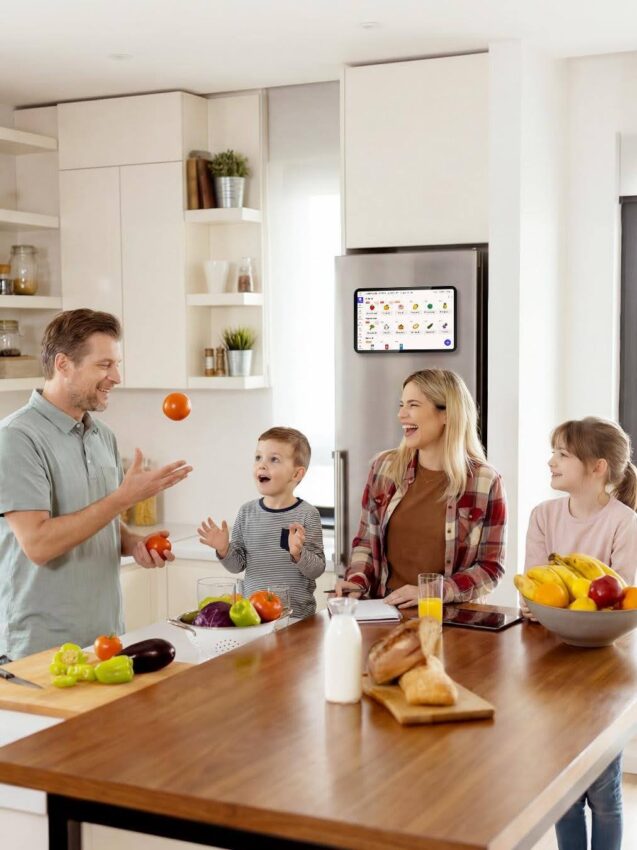
A functional family command center consolidates shared information so a child, spouse, grandparent, or babysitter can look at one place and understand what is happening without needing a walkthrough of anyone’s personal planning system.
Start With the Questions Your Family Asks Most
Before choosing a whiteboard, app, or digital display, pay attention to the questions that come up again and again at home:
- What time is co-op tomorrow?
- Who is driving to soccer?
- What is for dinner?
- Did anyone add milk to the grocery list?
- Is the library book due today?
- Whose turn is it to unload the dishwasher?
Those recurring questions are a better design brief than any Pinterest photo. They show exactly what your family needs to see at a glance.
A simple family command center should answer four things immediately: what is happening, who is responsible, what needs to be done, and what the household needs next.
Apply a one-glance test: imagine someone checking the command center while putting on shoes or making breakfast. If they can understand the important parts of the day in a few seconds, the system is working. If not, there’s too much information on it.
What Belongs on a Family Command Center
The command center should hold information that affects more than one person. It is not a second copy of every personal planner in the house.
Calendar: What Is Happening and When
Use the shared calendar for appointments, co-op days, sports, field trips, work travel, birthdays, library events, and any plan that affects the household’s timing.
For homeschool families, the distinction matters: “Complete pages 42-45 in math” belongs in a lesson planner. “Math tutor at 3:30” belongs on the family calendar because it affects when the car needs to leave and who is home.
That line keeps the shared view useful instead of turning it into a wall-sized to-do list.
Responsibilities: Who Owns the Next Task
Chores work better on a shared display when both the task and the person responsible are clear. “Kitchen” leaves room for debate. “Sam empties the dishwasher after breakfast” does not.
For younger children, keep the wording short enough to scan in seconds: feed the dog, brush teeth, pack backpack, put pajamas away. Older children can manage recurring jobs tied to specific days.
The goal is not to document every helpful thing a child does. It is to make recurring responsibilities visible enough that the next step doesn’t depend on a parent’s memory.
Meals and Shopping: What Do We Need Next
A simple dinner plan for the next few days answers “What’s for dinner?” before anyone asks. Keeping the grocery list near the meal plan connects the two decisions naturally.
If taco night uses the last tortillas, that is the moment to add tortillas to the list. If Thursday has a late practice, that may be the night for leftovers or something quick. Meal planning becomes more practical when it reflects the family calendar rather than living as a separate project.
Physical Items: What Has to Leave the House
Not everything belongs on a screen. Permission slips, library books, returns, sports gear, and forms to sign still need a physical home.
A small basket, file pocket, or hook beside the calendar works well as a “leaving the house” zone. This is one reason hybrid command centers are practical: schedules and lists can stay digital while physical items remain visible nearby.
Paper, Digital, or Hybrid: Choosing the Right Format
A paper system is completely reasonable when a family’s schedule is stable and everyone likes writing things down. A monthly calendar, chore list, meal plan, grocery list, and paper inbox may cover everything needed.
Digital becomes more useful when plans change while family members are away from home. If practice moves from 5:00 to 5:30, a parent adds an appointment from work, or someone needs to check the schedule before heading home, shared real-time updates matter more than handwriting.
Before choosing a digital display, check three things: whether it works with the calendars the family already uses, whether more than one person can update it, and whether the screen can live somewhere people naturally look.
A fridge calendar is one example of a digital family command center format designed specifically for this context. Everblog’s FridgeCal mounts on the refrigerator, syncs with Google and Outlook calendars, supports member color coding, and lets anyone update it through a companion app on their phone. Because it lives on the fridge door rather than inside an app, the information is visible every time anyone walks into the kitchen, without anyone needing to remember to check it.
For many households, the practical answer is hybrid: changing information on a shared digital calendar, plus a nearby basket or folder for the things that physically have to go somewhere.
Give Everyone a Part to Own
A command center stops working when one person still collects every update, enters every event, writes every grocery item, and reminds everyone to look at it.
Give family members ownership of the information they create. An older child can add a practice change. A spouse can update work travel or a new appointment. Kids can check off recurring chores. Whoever finishes the milk can add it to the shopping list.
Color coding helps when several schedules overlap, but keep it simple. One color per person is easier to read than separate categories for school, sports, medical appointments, chores, errands, and meals. Use the words your family already uses too. If everyone calls Thursday’s activity “co-op,” label it “co-op.” A household display is a communication tool, not a filing system.
How a Family Command Center Works With Homeschool Life
Homeschool families often need both flexibility and structure. A detailed homeschool planner and a family command center can serve different purposes rather than competing with each other.
Consider a Tuesday with math at home, a library program at 11:00, a dentist appointment at 2:30, soccer at 5:00, and dinner that needs to start early:
Notice what is missing: workbook page numbers, reading logs, curriculum notes, and tomorrow’s lesson prep. Those details matter, but they don’t need to compete for space on the family’s shared view.
A useful rule: if another person needs the information for the day to work, it belongs on the command center. If it only guides one person’s work, it belongs in that person’s planner.
Use the Fridge as a Natural Check-In Point
If the command center lives in the kitchen, the goal is to work with routines that already happen there, not to create a new family meeting for every update.
In the morning, check the day’s appointments while breakfast is being made. Before lunch, glance at dinner to see whether anything needs to thaw or go into a slow cooker. After lessons, children can check their next responsibility. When something runs out, add it to the grocery list while still standing near the food. At night, look at tomorrow before the kitchen closes down.
Digital features are most useful when they remove a duplicate step. Calendar syncing means the same appointment doesn’t need to be entered in two places. Member colors make a crowded week faster to scan. A visible chore list gives children somewhere to check what comes next without asking a parent. Keeping the meal plan beside the weekly schedule also makes it easier to notice that a late activity calls for a simpler dinner.
None of this requires starting from scratch. A command center works best when it makes an existing habit more visible or removes something people currently have to remember twice.
Keep One Source of Truth
The fastest way to make a command center unreliable is to maintain two official versions of the same information.
Decide which calendar is the current family schedule. When an event changes, update that version. If a change affects someone else’s plans, it should not stay only in a text message, email, or one person’s memory.
A short weekly review of the next several days is usually enough to catch transportation conflicts, unusual appointments, meals that need advance prep, and physical items that must leave the house. It does not need to be a long planning session.
Then pay attention to what the family still asks about. If the answer is already visible but nobody notices it, simplify the display or move it. If the same missing question keeps coming up, add that information. If a section is never used, remove it.
What Makes a Family Command Center Work
A family command center earns its place when it makes ordinary decisions easier. It doesn’t need to manage every part of family life. It only needs to make the information people share easier to find, update, and act on.
The most durable systems share three characteristics: they are visible where family members already are, they can be updated by more than one person, and they answer the questions that come up most often without requiring anyone to ask.
Frequently Asked Questions
What should a family command center include?
A family command center should include a shared calendar, a chore or responsibility list, a meal plan for the week, and a grocery list. It may also include a physical inbox or hook for items that need to leave the house. The exact components depend on which questions your family repeats most often.
Where is the best place to put a family command center?
The kitchen is the most effective location for most families because it is a natural gathering point and a space people pass through multiple times each day. Placing the command center near the refrigerator means it stays visible during routine moments like making breakfast, starting dinner, and checking what’s running low.
Should a family command center be digital or paper?
Either works, and many families use both. Paper is reliable when schedules are stable and everyone is home to update it. Digital is more useful when plans change while family members are away, when more than one person needs to update the calendar from different locations, or when the display needs to sync automatically with existing calendar apps like Google Calendar or Outlook.
What is a fridge calendar?
A fridge calendar is a digital calendar display designed to mount on the front of a refrigerator. It shows family schedules, chores, meal plans, and grocery lists in one visible location. Because it lives on the fridge door rather than inside a phone app, the information is passively visible to everyone in the household throughout the day without anyone needing to open an app or ask someone else what is on the schedule.
How do I get my family to actually use the command center?
Give each family member ownership of something specific. An older child can update their own schedule. A spouse can manage their work travel or appointments. Whoever finishes the last of something can add it to the grocery list. Color coding one color per person keeps the display readable. Use the words your family already uses for recurring activities, and keep the display simple enough that a glance covers the important parts.