
It’s 2 AM, and you’re squinting at your baby monitor, trying to determine whether your little one is actually breathing steadily or if that pixelated blob on screen is just frozen. You pinch to zoom, and the image dissolves into a mess of indistinguishable squares. Is that a pacifier near their face? Are their cheeks flushed? The uncertainty gnaws at you, turning what should be a reassuring glance into a source of anxiety. This is the reality for millions of parents still relying on outdated, low-resolution monitors that promise peace of mind but deliver frustration instead.
Enter 2K HD resolution—a significant leap in baby monitoring technology that transforms your view from guesswork into genuine clarity. This article is designed for parents who want more than a basic video feed. We’ll walk you through how to fully leverage 2K HD monitoring, from building the Wi-Fi infrastructure it demands to integrating smart alerts and night vision that actually work when paired with superior image quality. The core problem is simple: traditional monitors lack the visual detail needed to truly know your baby is safe. The solution starts with understanding and optimizing the technology now available to you.
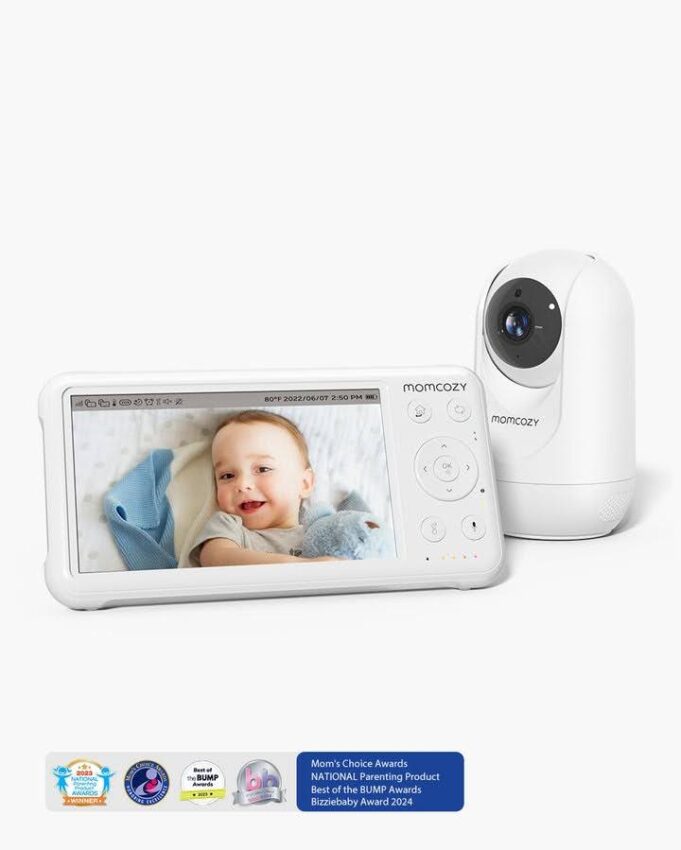
Why 2K HD Resolution is a Must-Have for Modern Parents
To understand why 2K HD matters, let’s start with what it actually means. A 2K HD baby monitor captures video at 2560×1440 pixels—that’s nearly twice the pixel count of standard 1080p Full HD. In practical terms, every frame contains dramatically more visual information, which translates directly into sharper, more detailed images of your child.
The difference isn’t just technical—it’s deeply practical. With 2K resolution, you can detect subtle changes that lower-resolution monitors simply cannot render. A slight flush across your baby’s cheeks that might signal a fever becomes visible. You can distinguish between a pacifier resting safely beside your infant and one pressed against their nose. Tiny fingers curling around a blanket, the gentle rise and fall of their chest, even early signs of a rash on delicate skin—these details emerge with striking clarity rather than disappearing into a smear of pixels.
Consider what happens when you zoom in on a 1080p feed. The image degrades rapidly, turning your baby into an unrecognizable collection of blocky artifacts. With 2K HD, digital zoom remains usable and clear. You can crop into a specific area of the crib—checking hand placement, facial expression, or whether those eyes are truly closed—without sacrificing the image quality that makes monitoring worthwhile in the first place.
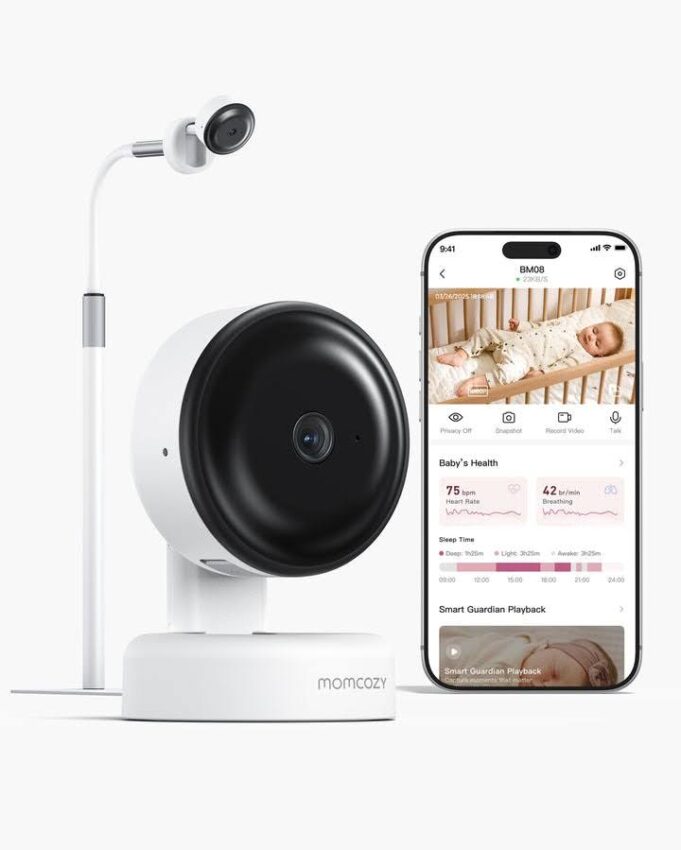
For parents who invest in monitors with smart features like motion tracking, AI-powered alerts, or facial recognition, 2K resolution serves as the critical foundation. Brands like Momcozy have recognized this, building their baby monitors around 2K resolution to ensure that these algorithms perform significantly better when fed high-quality visual data. A cry detection system paired with the ability to actually see whether your baby is distressed or simply stirring in sleep transforms how you respond to nighttime alerts. The resolution isn’t a luxury—it’s the baseline that makes every other advanced feature function as intended rather than operating on compromised, ambiguous imagery.
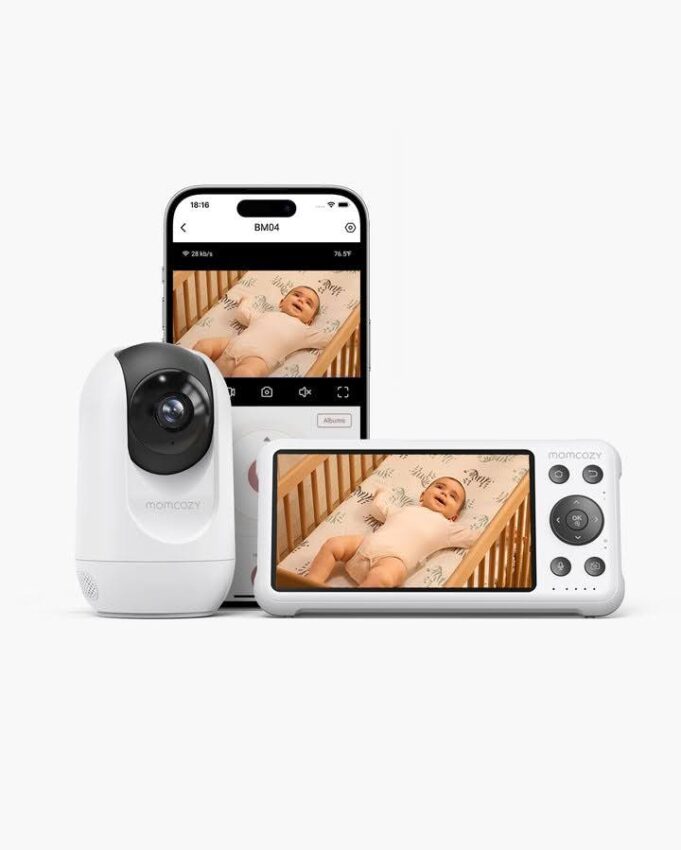
Ensuring a Robust Wi-Fi Foundation for Your Baby Monitor
A 2K HD baby monitor is only as reliable as the network carrying its video stream to your phone. Streaming at 2560×1440 resolution demands significantly more bandwidth than a standard 1080p feed—typically requiring a sustained upload speed of at least 4-6 Mbps from the camera to your router, with minimal latency. When your Wi-Fi falters, you don’t just get a slightly worse picture; you get frozen frames, multi-second delays, or complete disconnections at the worst possible moments.
The 5GHz Wi-Fi band is your best ally here. Unlike the crowded 2.4GHz band—shared by microwaves, Bluetooth devices, cordless phones, and every neighbor’s router—the 5GHz frequency offers substantially less interference and higher throughput. The tradeoff is shorter range and weaker wall penetration, which means router placement becomes critical. Ideally, your router should sit within one or two rooms of the baby monitor camera, with as few solid walls between them as possible.
Dead zones represent the most common culprit behind unreliable monitoring. If your nursery sits at the far end of your home, a single router may not deliver consistent coverage. Mesh Wi-Fi systems solve this elegantly by placing multiple nodes throughout your house, creating a seamless blanket of connectivity that hands off the camera’s signal without drops. A simple Wi-Fi extender can work for minor gaps, though mesh systems provide superior stability for always-on devices like baby monitors.
Security cannot be an afterthought. Any internet-connected camera in your child’s room demands WPA3 encryption (or at minimum WPA2), a strong unique password, and regular firmware updates on both your router and the monitor itself. Avoid default passwords entirely, and disable remote access features you don’t actively use.
Step-by-Step: Optimizing Your Home Network for HD Monitoring
Start by running a speed test from the nursery itself using your phone connected to Wi-Fi. You need at least 5 Mbps upload speed at that specific location—not just at your router. If speeds fall short, you’ve identified a coverage problem that needs addressing before your monitor can perform reliably.
Next, evaluate your router. If it’s more than four or five years old, it likely lacks support for modern Wi-Fi standards that handle multiple high-bandwidth streams efficiently. Routers supporting Wi-Fi 6 manage device congestion far better, which matters in homes with dozens of connected gadgets competing for bandwidth.
Position your router elevated and central, away from metal objects and appliances that generate electromagnetic interference. For the camera itself, ensure it connects to the 5GHz band rather than defaulting to 2.4GHz—most dual-band routers broadcast both, and many monitor apps let you select which band to join during setup.
Create a dedicated network segment for your IoT devices. Many routers allow you to set up a guest network—place your baby monitor and other smart home devices here, isolated from your primary computers and phones. This limits exposure if any single device is compromised and reduces network congestion on your main band.
Finally, access your router’s Quality of Service settings and prioritize your baby monitor’s traffic. QoS lets you tell your router that the camera’s video stream matters more than a background software update or someone streaming music in another room. This ensures that even during peak household usage, your baby’s feed remains smooth and uninterrupted.
Beyond Clarity: Leveraging Smart Alerts and Night Vision
Crystal-clear resolution during daytime hours is only half the equation. Babies don’t limit their needs to convenient, well-lit moments—and neither should your monitor’s capabilities. When 2K HD resolution pairs with intelligent alert systems and advanced night vision, you move from passive observation to proactive monitoring that works hardest precisely when you can’t be watching the screen yourself.
Smart alerts transform your monitor from a simple camera into an active guardian. Cry detection algorithms analyze audio patterns to distinguish genuine distress from ambient noise, sending notifications directly to your phone or smartwatch within seconds. Motion detection can flag unexpected movement—a baby pulling up on crib rails for the first time, or rolling into a position you’d rather correct. Sound alerts catch everything from coughing fits to the distinctive rhythm of labored breathing. What makes these features genuinely useful rather than merely gimmicky is the 2K resolution feeding them. When your phone buzzes with a motion alert at 3 AM, you open the app and immediately see exactly what triggered it—not a vague shadow shifting in a sea of grain, but your child’s arm reaching through the crib slats with unmistakable clarity.
Night vision in modern 2K monitors has evolved far beyond the ghostly green footage of older devices. Large image sensors paired with strategically placed infrared LEDs capture detailed black-and-white imagery that preserves the resolution advantage even in complete darkness. You can see whether your baby’s eyes are open or closed, whether the swaddle has come undone, whether that stuffed animal has migrated dangerously close to their face. Imagine receiving a motion alert at midnight, tapping your notification, and seeing with perfect clarity that your eight-month-old has rolled onto their stomach and is sleeping peacefully—no need to physically enter the room, disturb their sleep, or spiral into worry. That single moment of confirmed safety, repeated night after night, represents the compound value of pairing high resolution with intelligent monitoring features.
Configuring Cry Notifications for Maximum Effectiveness
Setting up cry detection properly makes the difference between a feature you trust and one you disable out of frustration. Begin in your monitor’s companion app—navigate to the alerts or notifications section and enable cry detection. Most apps offer sensitivity levels ranging from low to high. Start at medium sensitivity for the first few nights, then adjust based on your experience. If you’re receiving alerts every time the air conditioner cycles or a car passes outside, dial sensitivity down one notch. If genuine cries go undetected, increase it.
Background noise is the primary enemy of accurate cry detection. White noise machines, while excellent for helping babies sleep, can mask cry patterns if positioned between the baby and the camera’s microphone. Place your sound machine on the opposite side of the crib from the monitor, or reduce its volume slightly so the camera can still pick up vocal frequencies clearly. Fans and humidifiers create similar interference—awareness of their placement relative to the monitor microphone prevents most false-negative scenarios.
Notification delivery requires its own attention. Ensure your phone’s settings allow the monitor app to send push notifications even when the app is closed or your phone is in Do Not Disturb mode. On most smartphones, you can create an exception for specific apps within your sleep or focus settings. If you use a smartwatch, verify that notifications mirror correctly—a wrist tap is far less disruptive than fumbling for your phone on the nightstand. Test the entire chain before relying on it: trigger a deliberate alert, confirm it reaches every device you expect, and verify that the accompanying video feed loads quickly enough to be useful in a genuine situation.
Setting Up and Maintaining Your 2K HD Baby Monitor System
Getting your 2K HD monitor from box to fully operational requires deliberate choices about placement and configuration. Start by selecting a mounting position that gives you a comprehensive view of the entire crib without pointing directly at a window or light source—backlight washes out the image and defeats the purpose of high resolution. The ideal height is roughly three to four feet above the mattress surface, angled slightly downward. Wall-mounting typically provides a more stable, tamper-proof installation than shelf placement, and most monitors include the necessary hardware. Keep the camera and its cord completely out of your baby’s reach—at minimum three feet from the crib edge with no dangling cables.
During app installation, connect the camera while standing near your router to ensure initial pairing goes smoothly. Walk through every setting the app offers during setup rather than accepting defaults. Enable 2K resolution explicitly if it isn’t the default streaming quality, select your preferred 5GHz network, and configure cloud or local storage options for recorded clips. If your monitor supports two-way audio, test it immediately—you’ll want to know the microphone sensitivity and speaker volume before you need them at 4 AM.
Ongoing maintenance keeps your system performing at its peak. Clean the camera lens weekly with a microfiber cloth; nursery dust and fingerprints from adjusting the angle accumulate quickly and soften your image noticeably. Check for firmware updates at least monthly—manufacturers patch security vulnerabilities and refine features like motion detection algorithms through these updates. If your monitor has a rechargeable battery for portable use, avoid letting it drain completely before recharging, as this shortens battery lifespan over time.
When troubleshooting arises, connection drops almost always trace back to Wi-Fi issues rather than camera hardware. Restart your router first, then the camera. If the image appears blurry despite a clean lens, verify that the app is set to stream at full 2K resolution rather than a reduced quality mode designed to conserve bandwidth. A persistent soft-focus image may indicate the camera shifted slightly on its mount—readjust the angle and ensure nothing partially obstructs the lens. Keeping a brief log of any recurring issues helps you identify patterns, whether that’s interference from a specific appliance or bandwidth competition during certain hours.
Turning 2K HD Clarity Into Lasting Peace of Mind
The jump from standard definition to 2K HD baby monitoring isn’t about chasing specs—it’s about replacing uncertainty with confidence every time you glance at your screen. With 2560×1440 resolution, you gain the visual detail to spot a fever’s flush, confirm safe sleeping positions, and watch the gentle rhythm of your baby’s breathing without second-guessing what you’re seeing. But that clarity only delivers its full promise when supported by a properly configured Wi-Fi network capable of sustaining high-bandwidth streams without interruption.
When you layer smart alerts and advanced night vision on top of that resolution foundation, your monitor evolves from a passive window into an intelligent system that watches when you can’t and notifies you only when it matters. Cry detection becomes trustworthy because you can verify what you hear with what you see. Motion alerts become actionable because the accompanying image is sharp enough to inform your response instantly.
Investing in 2K HD monitoring is ultimately an investment in sleep—yours and your baby’s. It means fewer unnecessary trips to the nursery, fewer moments of doubt, and a safer environment observed with the kind of precision that previous generations of parents could only wish for. As smart parenting technology continues advancing, building your system on a foundation of genuine visual clarity ensures you’re prepared not just for tonight, but for every milestone ahead.