
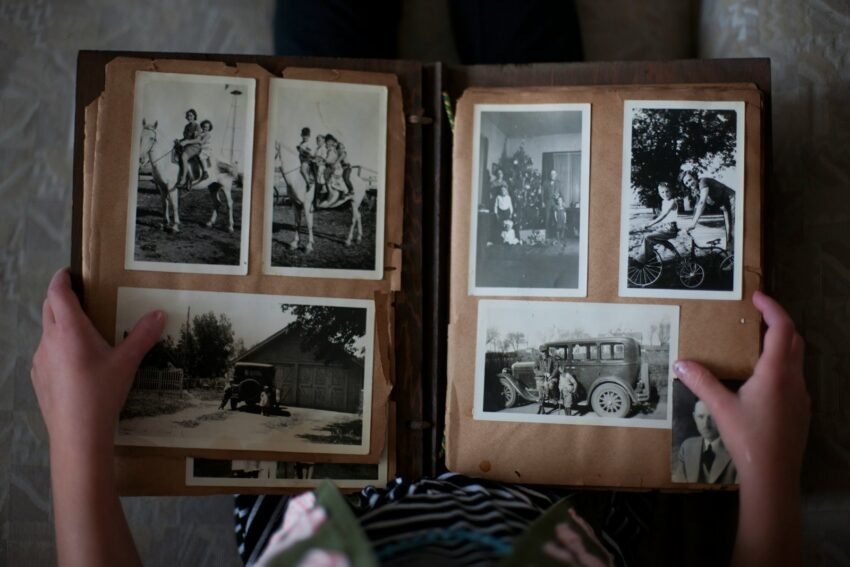
Very often old family photos are put away in drawers, shoeboxes, or albums that stand on shelves unnoticed. They capture the moments which make up the family story. A grandma when she was a little girl. The parents on their wedding day. A birthday party with a funny looking cake and a happy child. A lot of moms think that these photos are extremely valuable, but they are also very fragile.
Today, restoring old family photos no longer requires special skills or expensive software. Online tools now make it possible to fix damaged photos in minutes. A good example is https://old-photo-restoration.net/, an automatic and free online service that restores old photos. Tools like this make photo restoration approachable for busy parents who want to preserve memories without stress.
AI nowadays has really revolutionized the way families preserve their photographic heritage. It used to be very time-consuming and you’d even need a professional to do it, but now you can do it yourself at home. With just a laptop, a phone, and a few clicks, you can make your old pictures as clear as new ones.
Why Old Family Photos Matter So Much
Family photos are more than pictures. They help children understand where they come from. They show real faces, homes, and moments that stories alone cannot fully describe. For moms, these images often become teaching tools. They spark conversations about grandparents, childhoods, and family traditions.
Old photos also create emotional continuity. They connect generations. A child seeing a great-grandparent for the first time feels that connection in a personal way. When photos fade or tear, part of that connection feels at risk.
That is why many parents feel a strong urge to protect these images. Not just for themselves, but for their children and future grandchildren.
Why Old Photos Deteriorate Over Time
Most old photos were never meant to last for decades. Many were printed on low-quality paper. Others were stored in albums with acidic pages. Heat, humidity, and light slowly damage the surface.
Common problems include:
- Fading contrast
- Yellow or brown color shifts
- Scratches and cracks
- Dust marks and stains
- Blurred faces from old cameras
Even careful storage cannot stop time completely. Photos from the 1950s, 60s, or 70s often show visible wear, even if they were handled gently.
How Photo Restoration Was Done Before
Before online tools existed, photo restoration was difficult for most people. There were only a few options, and none were simple.
One option was manual editing in professional software. Programs like Photoshop required training. Fixing one photo could take hours. Removing scratches meant zooming in and working pixel by pixel. Many parents simply did not have the time or patience for that.
Another option was professional restoration services. These often produced good results, but they were expensive. Restoring a single photo could cost as much as a family dinner out. For a full album, the price added up quickly.
Some families chose to do nothing. The photos stayed in boxes, slowly fading away.
What AI Changed for Parents
AI-based photo restoration removed most of these barriers. Modern tools can detect damage automatically. They rebuild missing details. They sharpen faces and improve contrast. All of this happens without manual work.
For moms, this means:
- No learning curve
- No complex tools
- No long editing sessions
- No high costs
Most online tools work in a simple way. Upload the photo. Wait a short time. Download the improved version. That is it.
This simplicity matters. Moms often have to work in small pockets of time. A tool that fits into real life gets used. One that feels like a technical project gets ignored.
Popular AI Photo Restoration Alternatives
Several well-known tools offer AI photo enhancement and restoration features. Two commonly used options are:
- MyHeritage Photo Enhancer
This tool is popular for family history projects. It improves faces and sharpness and is often used for genealogy photos. - Remini Photo Enhancer
Remini focuses on clarity and detail. It is widely used for both old and modern photos, especially portraits.
Each tool works slightly differently. Results can vary depending on photo quality and damage level. It is useful to try more than one tool to compare results.
Tips for Scanning Old Photos in High Quality
Good restoration starts with a good scan. Even the best AI cannot fully fix a poor digital copy. A few simple steps make a big difference.
- Clean the photo gently with a soft, dry cloth
- Use a scanner instead of a phone when possible
- Scan at 300 DPI or higher
- Choose color scanning, even for black-and-white photos
- Save files as PNG or high-quality JPG
If a scanner is not available, a phone can still work. Place the photo near a window with indirect light. Avoid shadows. Hold the camera straight above the photo.
These small steps help AI tools deliver better results.
Making Photo Restoration a Family Activity
Restoring old photos can be more than a technical task. Many moms turn it into a shared moment. Children help choose photos. Stories come up naturally. Names get written down. Dates get remembered.
This process often uncovers details that were almost forgotten. A place. A pet. A family tradition. Once restored, photos can be printed again or stored safely in digital albums.
Some parents create yearly photo books. Others frame restored images as gifts for grandparents. These gestures often mean more than new photos ever could.
Preserving Family History in a Digital Age
Digital storage gives old photos a second life. Once scanned and restored, they are easier to protect. Copies can be saved in multiple places. Shared with relatives. Passed on without risk of damage.
AI tools bridge the past and the present. More families can afford preservation tools that allow them to care for their history without requiring them to be specialists.
For moms who juggle many roles, this matters. Preserving memories should feel meaningful, not overwhelming.
Old family photos deserve care. Today, that care is finally within reach for everyone.